

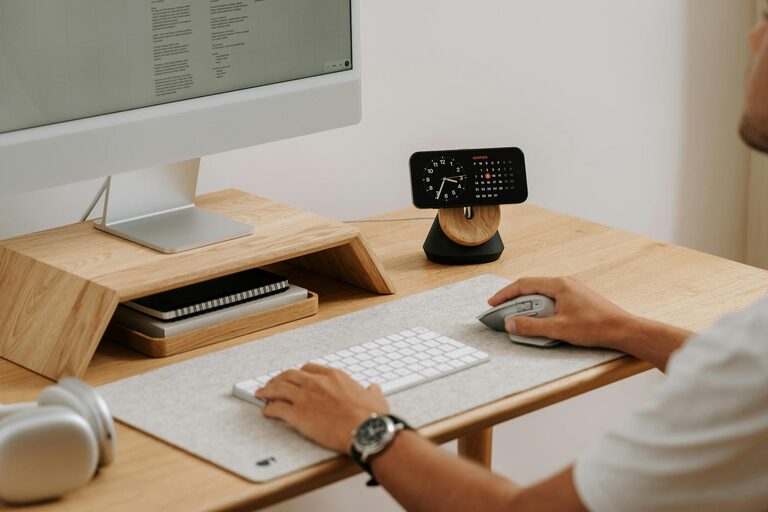
Creating a comfortable and efficient home workspace is essential for anyone working or studying from home. A well-designed area can boost your motivation, reduce stress, and improve your overall productivity. Whether you have a dedicated room or a small corner in your apartment, there are ways to make your workspace both cozy and functional.
In this post, we’ll explore practical tips and ideas to help you design a home workspace that feels inviting and keeps you focused throughout your day.
Choose the Right Location
Your workspace location matters a lot. Ideally, select a space with enough natural light and minimal distractions. Here are some considerations:
– Natural Light: Position your desk near a window to take advantage of daylight. Natural light helps reduce eye strain and improves mood.
– Quiet Area: Find a spot away from high-traffic zones or noisy appliances in your home.
– Space Availability: Ensure you have enough room for your desk, chair, and any supplies you need.
If a separate room isn’t an option, consider using room dividers or curtains to create a distinct work area.
Invest in Ergonomic Furniture
Comfort is key when spending long hours at your workspace. Ergonomic furniture supports your posture and helps prevent discomfort.
– Ergonomic Chair: Choose a chair with adjustable height, lumbar support, and comfortable cushioning.
– Desk at Proper Height: Your desk should allow you to keep your elbows at a 90-degree angle when typing.
– Footrest or Cushion: Use a footrest if your feet don’t comfortably reach the floor.
Remember to adjust your chair and desk setup regularly to maintain good posture.
Organize Your Workspace Efficiently
Clutter can distract and overwhelm you. Keep your workspace tidy and organized to maintain focus.
– Use Storage Solutions: Invest in shelves, drawers, or bins to store office supplies out of sight.
– Keep Essentials Handy: Only keep items you use daily on your desk to avoid clutter.
– Cable Management: Use cable clips or sleeves to keep wires organized and prevent tangling.
Establish a routine to clean and declutter your space at the end of each workday.
Personalize Your Space
Making your workspace feel inviting can boost your mood and motivation.
– Add Plants: Small indoor plants can improve air quality and add a touch of nature.
– Artwork and Photos: Decorate with pictures or art that inspire you.
– Comfort Items: Add a soft rug, cozy blanket, or cushions to make the area more comfortable.
Personal touches should enhance your space without causing distractions.
Optimize Lighting
Proper lighting reduces eye strain and keeps you alert.
– Task Lighting: Use a desk lamp with adjustable brightness for focused tasks.
– Avoid Glare: Position screens to reduce glare from windows or overhead lights.
– Use Warm Light: Soft, warm light creates a cozy atmosphere, especially during evening hours.
Adjust your lighting depending on the time of day and type of work you are doing.
Minimize Distractions
A workspace free from interruptions helps you maintain concentration.
– Turn Off Notifications: Silence non-essential phone and computer alerts during work hours.
– Set Boundaries: Communicate your work schedule to family or housemates to limit interruptions.
– Use Noise-Canceling Headphones: If you cannot control noise in your environment, headphones can help.
Creating a distraction-free zone enhances both productivity and comfort.
Establish a Daily Routine
A consistent routine helps your mind switch into work mode.
– Set Specific Work Hours: Define when you start and end your workday.
– Include Breaks: Regular short breaks improve focus and prevent burnout.
– Morning Ritual: Develop a pre-work routine, such as a cup of coffee or light stretching, to prepare yourself.
Routines provide structure, making it easier to stay productive while working from home.
Incorporate Technology Wisely
Use technology to support your productivity, but don’t let it overwhelm you.
– Use Productivity Apps: Choose tools for task management, time tracking, or note-taking.
– Keep Your Workspace Tech-Savvy: Ensure your Wi-Fi is reliable and your computer setup meets your work needs.
– Limit Screen Time Outside Work: To maintain balance, avoid overuse of devices during breaks or after work.
A smart tech setup can save time and reduce frustration.
Keep Yourself Comfortable
Pay attention to factors that affect your physical comfort.
– Maintain Comfortable Temperature: Use a fan or heater if needed.
– Stay Hydrated: Keep water nearby to stay refreshed.
– Move Regularly: Stand up and stretch to avoid stiffness.
Comfort contributes significantly to your ability to focus and enjoy your workspace.
—
By applying these tips, you can create a home workspace that feels welcoming and supports your productivity. Remember that the ideal workspace is personal, so experiment and adjust your setup until it matches your needs and preferences. A cozy and organized workspace sets the tone for productive and enjoyable days at home.